Web Application
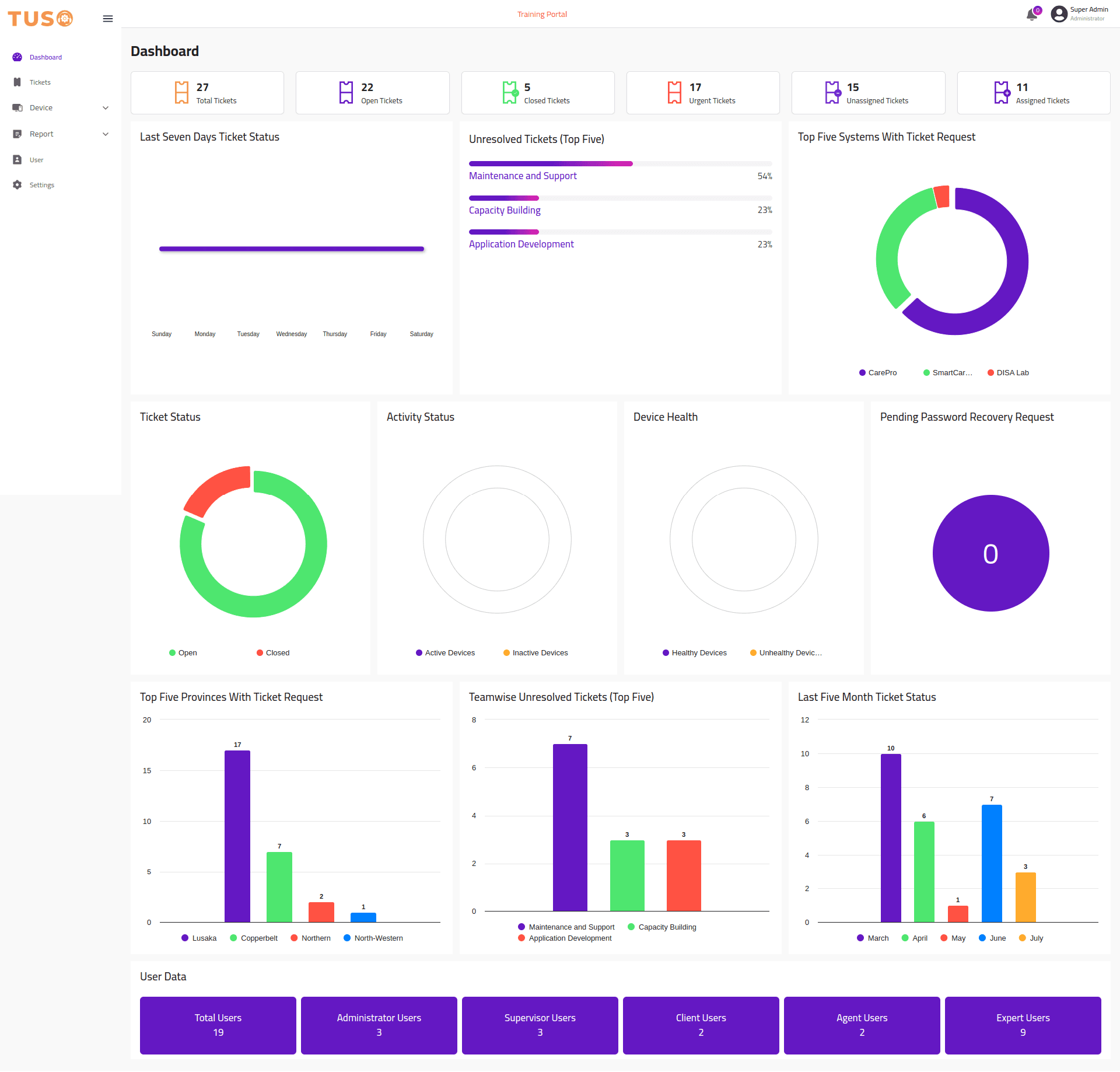
System Issue Tracking Platform
Overview
Tuso is a robust system issue tracking platform designed to streamline the process of reporting, managing, and resolving system issues efficiently. With Tuso, users can easily report system issues they encounter, while support staff can effectively track, prioritize, and resolve these issues in a timely manner. Tuso also includes Remote Desktop Protocol (RDP) feature, allowing support staff to establish live connections with users' systems to diagnose and resolve issues in real-time. The platform provides a user-friendly interface for both users and support staff, ensuring seamless communication and collaboration throughout the issue resolution process.
Features
User Authentication: Tuso features a secure user authentication system, allowing users to register, log in, and manage their accounts securely. This ensures that only authorized users can access the platform and report system issues.
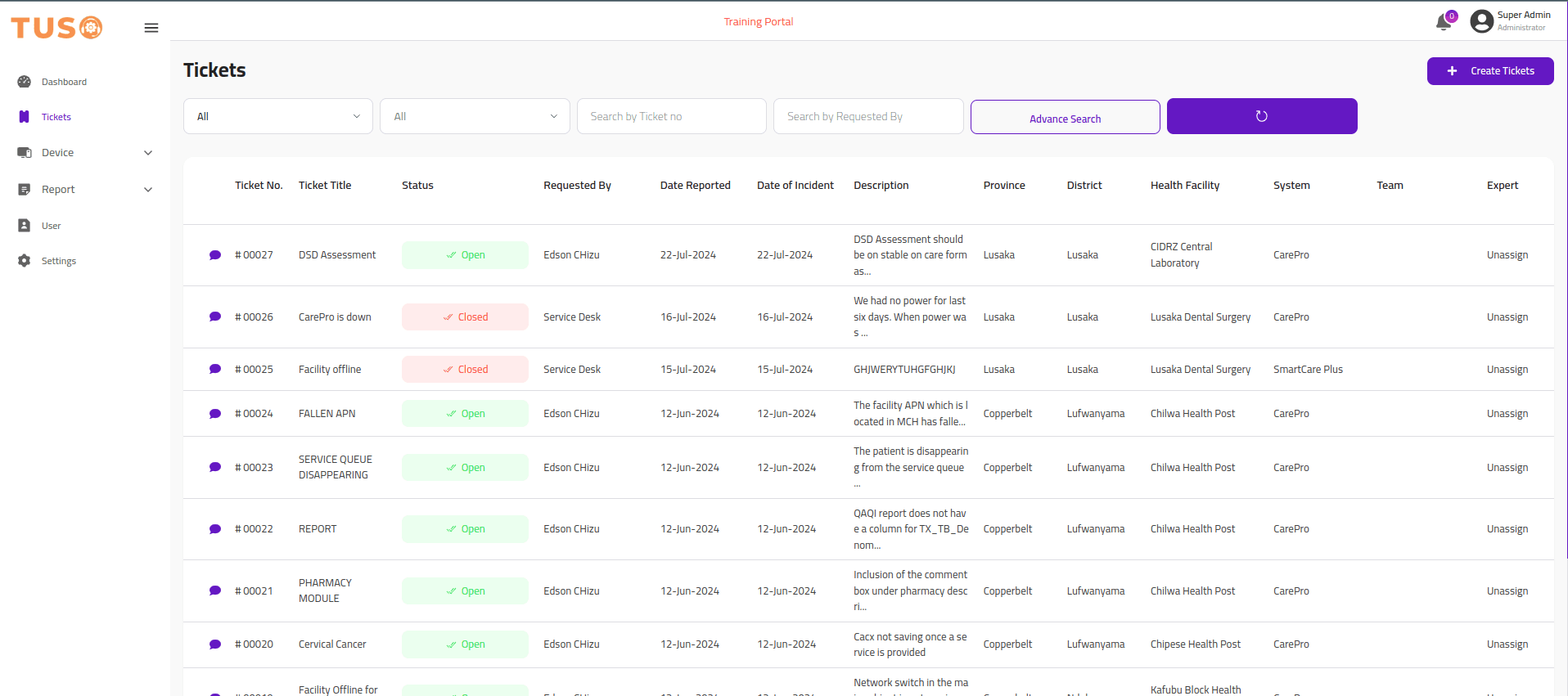
Intuitive Ticket Creation: Users can create tickets to report system issues effortlessly. The ticket creation process is user-friendly, allowing users to provide detailed descriptions, screenshots, and other relevant information to help support staff understand and address the reported issues effectively.
Efficient Ticket Management: Support staff can manage tickets efficiently through the intuitive support dashboard. They can view, assign, prioritize, and track tickets based on their status and severity, ensuring that critical issues are addressed promptly.
Streamlined Ticket Resolution: Support staff can communicate with users, provide updates, and resolve reported issues directly within the platform. This streamlines the issue resolution process and ensures clear communication between users and support staff throughout the entire process.
Real-time Notifications: Tuso features a real-time notification system that notifies users and support staff of any updates or changes to their tickets. This helps users stay informed about the progress of their reported issues and enables support staff to respond promptly to new tickets and updates.
Remote Desktop Protocol (RDP): Tuso includes an integrated Remote Desktop Protocol (RDP) feature, allowing support staff to establish live connections with users' systems. This enables support staff to diagnose and resolve issues more effectively by accessing users' systems in real-time, providing immediate assistance and troubleshooting.
Administrative Features: Admins have access to administrative features, allowing them to manage users, configure system settings, and monitor system performance. This ensures that the platform operates smoothly and efficiently.
Usages
Logging in to TUSO: Users need to log in to the TUSO system using their credentials. Here's a basic example of logging in.

Create Issue Ticket: Users can create issue tickets to report system issues they encounter. Here's how it can be done:

Follow up on Specific Ticket: Users can follow up on specific tickets to track the progress of the issue resolution. Here's how it can be done:

Resolve Ticket Through RDP: Support staff can resolve tickets by establishing live connections with users' systems using the Remote Desktop Protocol (RDP) feature. Here's how it can be done:

Technologies Used
React
Node.js
Express
MongoDB
TypeScript
Redux Toolkit
Tailwind CSS
Stripe API
JWT
Cloudinary
Project Links
Project Gallery
1 / 5